Stop losing the thread between customers, code, and conviction
A guided context engine for the 28-day residency — assumptions, evidence, interviews, wedge, and weekly reviews in one workspace. Not a coding agent.
The problem: context fragmentation
You can ship an MVP in a week now. But your customer interviews live in five places — Notion, Google Docs, WhatsApp, ChatGPT threads, voice notes — and you lose the thread of what you believed, what you tested, what customers actually said, and which feature was a distraction.
AI made building cheap. The scarce skill is judgment: which problem is real, who is desperate, what to build, what to cut, and whether anyone wants it. Area 01 OS exists so that judgment is visible, testable, and reviewable — not buried in scattered docs.
AREA 01 already ran this method on itself — competitive maps, positioning, value graphs, continue/pivot/kill decisions. Those artifacts are exactly what the OS generates for each resident. The software productizes the process.
What Area 01 OS is
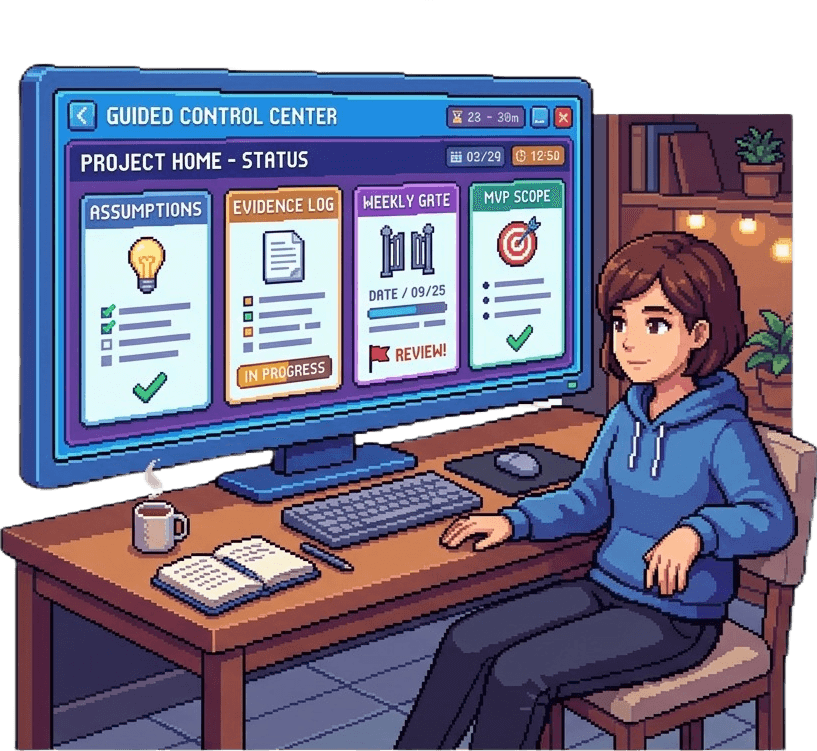
Middleware between you, your AI tools, your customers, your mentors, and the residency. A guided context engine — not a coding agent, CRM clone, course platform, or generic chat app.
It tells you where you are, what you believe, what has evidence, what is still risky, and the one move for today. Heavy work still runs in Claude Code, Cursor, Gemini, and ChatGPT — the OS holds context and orchestrates the hand-offs.
Three laws everywhere: Reality beats AI. Evidence beats confidence. Artifacts beat conversations.
Mission Control — your daily hub
Open /os and you land on Mission Control: Day X of 28, your current idea, and today's one move — log a check-in, fix a high-priority flag, or test your riskiest assumption.
The Founder Roadmap is a four-stage board derived from your real workspace state: Validation → Build → Feedback → Reflection. Each stage shows concrete tasks (define a persona, run 5 interviews, define the wedge, log weekly review) with progress you can act on immediately.
Riskiest assumption and open flags stay visible. High-confidence, low-evidence beliefs get flagged. No customer call in three days? The OS surfaces it before your mentor has to ask.
The workspace modules
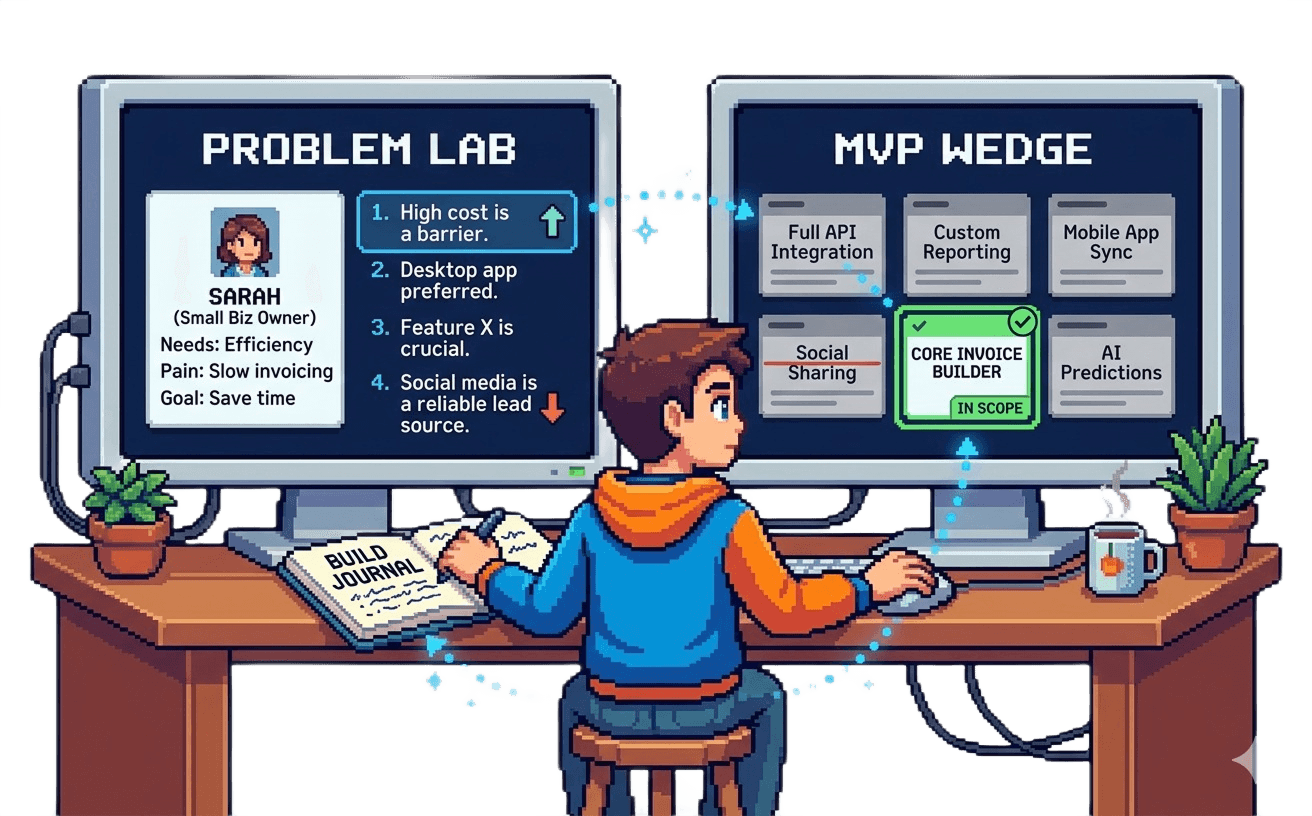
01 Personas — map who you are building for. Problem lab and persona mapping before you overbuild for the wrong user.
02 Hypotheses — leap-of-faith assumptions, evidence levels, and a board view. Separate what you believe from what customers proved.
03 Customers — pipeline from identified → contacted → scheduled → interviewed → committed. Mom Test prep, interview logging, quote capture, and synthesis.
04 Research — import market research and competitor context. Generate deep-research prompts for Gemini or ChatGPT, then bring artifacts back into the evidence trail.
05 MVP & PRD — scope the smallest serious wedge, readiness gates (persona + interviews before build), build docs, and coding-agent prompt export for Claude Code or Cursor.
06 Journal — daily check-ins (customer target + build target) and weekly reviews with continue / pivot / pause / stop decisions backed by evidence.
Four phases, one loop
Validation — define persona, write leap-of-faith hypotheses, import research, run customer interviews. Week 01 of the residency.
Build — define the MVP wedge, pass readiness gates, save build docs, export PRD + coding prompts. Week 02.
Feedback — synthesize interviews, capture commitments, support beliefs with evidence. Week 03.
Reflection — daily check-ins and weekly reviews that force an honest verdict on progress vs motion. Week 04 and ongoing.
The loop repeats: talk to customers → track assumptions → scope smallest MVP → build → ship → watch users → review evidence → decide → repeat.
AI workflows — prompts as product
Area 01 OS does not try to out-research Gemini or out-code Claude. It generates context-rich prompts and ingests the results back into your evidence log.
Deep-research prompts — run in Gemini or ChatGPT, import competitor maps and market context into Research.
PRD + coding-agent prompts — scoped from your wedge, hypotheses, and interview quotes, ready to paste into Claude Code, Codex, or Cursor.
Structured reviews — Founder Diagnostic, Plan Review, UX Review, Technical Review, Weekly Gauntlet. AI challenges scope, demands evidence, and catches compliment-traps. Customers still decide what is real.
For operators and mentors
The Operator view (/os/operator) gives AREA 01 staff a live cohort dashboard: interviews completed, hypotheses supported vs contradicted, MVP status, and open flags per founder.
See who is moving on evidence and who is hiding in code — "no customer call in 4 days," "building before problem clarity," "high confidence, low evidence on pricing."
Mentor packets generate from founder artifacts — interview quotes, assumption maps, build journals — not generic advice. Weekly gauntlet reviews surface demo readiness before demo day.
What it is not
Not a coding agent — you build in Claude Code, Cursor, or your stack. The OS writes the spec and holds the context.
Not a replacement for customers — AI suggests and challenges; customers decide.
Not Notion or a CRM clone — one guided journey with gates, nudges, and artifacts, not a blank canvas.
Not a course platform — it is middleware for founders actively building during the residency.
Common questions
Who gets access? Accepted AREA 01 cohort founders — full workspace from Week 01 of the residency.
Can I try it before applying? A live prototype is at area01.space/os — explore Mission Control and the module flow.
Does it replace my coding tools? No. Export PRD and coding prompts into Claude Code, Cursor, or Codex. Import results back.
How does it connect to the 28-day program? Modules map to residency weeks — Discover (Validation), Build, Validate (Feedback), Launch (Reflection + demo prep).
What artifacts do I leave with? Persona map, hypothesis ledger, interview syntheses, MVP wedge + PRD, build journal, weekly reviews, and an evidence-backed demo story.
Area 01 OS ships with the residency. Accepted founders get Mission Control, all six modules, and operator-backed weekly reviews from Day 1. Explore the live prototype at /os while you apply.